
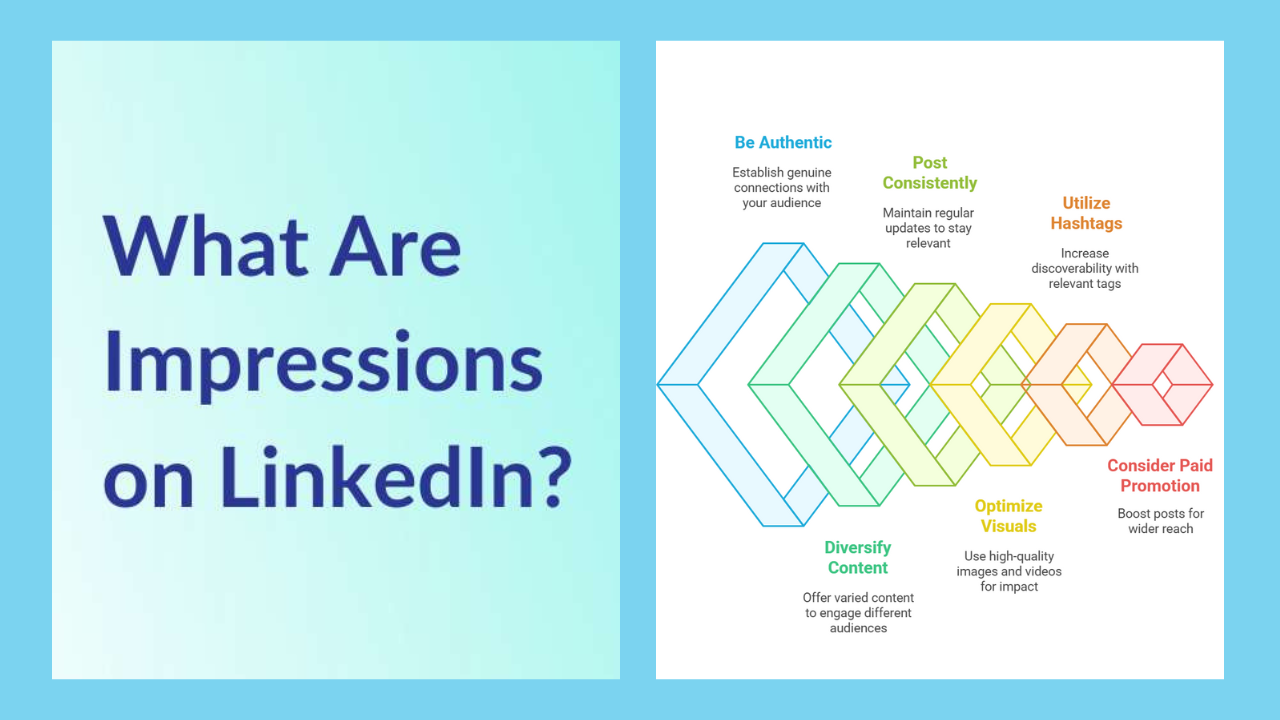
If you’ve ever posted on LinkedIn and then checked your analytics, you’ve probably noticed one number that seems both exciting and confusing at the same time: impressions. Sometimes you’ll see hundreds or even thousands of impressions, but the post only has a few likes. Other times, your impressions feel unusually low, even though you believe the content was strong. And now, LinkedIn has made things even more interesting by showing impression counts on comments, too, prompting a new question: What are impressions on LinkedIn comments, and how do they work?
In simple terms, impressions help you understand visibility. They show whether your content is actually appearing in front of other people on the platform. That matters because LinkedIn is not just a place to post updates—it’s where professionals build trust, attract opportunities, share knowledge, and grow a network. Whether you’re trying to get more profile visits, build authority in your niche, or generate leads for your service, impressions are one of the first signs that your content is being distributed.
This guide will explain what impressions are on LinkedIn, what impressions are on LinkedIn posts, and what impressions are on LinkedIn comments—all in a clear, beginner-friendly way, with practical tips you can use immediately.
What Are Impressions on LinkedIn?
Impressions on LinkedIn mean the number of times your content is shown on someone’s screen. The keyword is shown. It doesn’t require the person to like, comment, share, or even read your content fully. If your post or comment appears in their feed or on their screen, LinkedIn counts it as an impression.
This is why impressions are sometimes called a “visibility metric.” They measure exposure rather than deep engagement. LinkedIn impressions can come from different areas of the platform, such as the home feed, search, post shares, or when someone scrolls down a post.
Also, impressions are usually non-unique, meaning the same person can create multiple impressions if they see your content more than once.
So if one person sees your post today and then sees it again tomorrow, that can count as two impressions. This is completely normal and actually a good sign that LinkedIn is showing your content more than once.
Impressions vs Views vs Reach: What’s the Difference?
Many people mix up impressions, views, and reach because they all seem like “visibility numbers.” But they do not mean the same thing.
Impressions: How many times has your content appeared
Impressions measure how often your post or comment was displayed on someone’s screen.
Views: A stronger sign of attention
Views usually represent a deeper action than just showing up. For example, in videos, a view often means the person actually watched for a minimum amount of time. For documents or certain formats, a view can indicate that they opened or engaged with the content more actively.
Reach: How many unique people saw it?
Reach is the number of unique people who saw your content, excluding repeats.
So a quick way to remember is:
- Impressions = total appearances
- Reach = unique people
- Views = stronger attention/interaction
This is why you may see a post with 10,000 impressions but only a few reactions. Your post got shown a lot, but most people just scrolled past without interacting.
What Are Impressions on LinkedIn Posts?
What are the impressions on LinkedIn posts? They are the number of times your post is displayed on someone’s screen across LinkedIn. Each time it appears, LinkedIn counts it.
Your post impressions can come from several places, such as:
- People see it in their home feed
- Your post is being shown because someone reacted or commented (which pushes it to more feeds)
- People find it through hashtags or search
- Someone shares your post or tags a person, who then gets more eyes on it
A very important thing to understand is that LinkedIn post impressions are often driven by distribution. Your post doesn’t automatically go to every connection. LinkedIn usually tests your content with a smaller group first, then expands based on performance signals like early engagement and relevancy.
That’s why the first hour after posting can feel critical. If the post gets replies, reactions, and strong dwell time quickly, impressions usually rise faster.
What Are Impressions on LinkedIn Comments?
This is the part that many users find surprising, because for a long time, people focused only on post impressions.
What arethe impressions on LinkedIn comments? A comment impression is counted each time someone views your comment. The count is non-unique, and even your own views are included.
That means:
- If 1 person sees your comment twice, that becomes 2 comment impressions
- If you look at your comment yourself, that also adds to the impression count
This feature is very useful because it proves a powerful point: commenting is a visibility strategy, not just an engagement habit.
When you write a thoughtful comment on someone else’s post, your comment can be seen by:
- The original poster
- Other people are scrolling and reading the comment section
- People who interact with your comment (like or reply), which may bring more attention
A comment impression means your comment was loaded on screen and had the opportunity to be seen. It doesn’t guarantee the person carefully read it, but it confirms it appeared.
What Counts as an Impression on LinkedIn?
Here’s a simple way to think about what counts as a LinkedIn impression:
It counts when:
- Your post appears in the feed (even briefly)
- Your comment appears under a post someone is reading
- Someone opens a post, and your content loads onthe screen
It does NOT require:
- A like
- A comment
- A share
- A follow
- A message
- A click
Impressions are about exposure, not actions.
That’s why impressions can feel “high” while engagement feels “low.” Your content is getting visibility, but the hook may not be strong enough to stop people in their tracks.
Why LinkedIn Impressions Matter (Even If You Don’t Go Viral)
A lot of people chase viral posts, but you don’t need viral numbers to get results from LinkedIn. Impressions matter for multiple practical reasons.
1) Impressions increase your brand visibility
Even if people don’t react, they still see your name, your writing style, and your topic area. Repeated impressions build familiarity, and familiarity builds trust.
2) Impressions lead to profile visits
Many LinkedIn users don’t engage publicly. They will quietly view your profile, follow you, or message you later. Impressions are often the first step in that process.
3) Impressions can create business opportunities
If you’re a freelancer, agency owner, recruiter, consultant, or job seeker, impressions help you stay visible. The more visibility you get, the more chances there are that the right person finds you at the right time.
What Affects Your LinkedIn Impressions?
If you want to improve impressions, you need to understand what usually influences them.
Posting consistency
People who post consistently tend to get more predictable impressions. LinkedIn also learns what your content is about and who might enjoy it.
Early engagement signals
When your post gets quick reactions and comments, it often receives more distribution.
Topic relevance
LinkedIn pushes content based on professional relevance. If your audience cares about your topic, impressions grow faster.
Strong opening lines
Your first 1–2 lines matter because that’s what people see before clicking “see more.” If the opening is weak, impressions may still happen—but engagement stays low, and the post may stop spreading.
Comments and replies
When you reply to comments on your post, you are creating activity. This keeps the post active, which can help it reach more people.
Why Your LinkedIn Impressions Are High, but Likes Are Low
This is one of the most common LinkedIn frustrations, and it happens for many normal reasons.
First, remember: impressions do not mean attention. They mean your post was shown. Someone could scroll past in less than one second and still create an impression.
Second, LinkedIn users are often silent readers. Many professionals don’t like or comment on everything they find useful. They consume quietly.
Third, your post might be attracting the wrong audience. If LinkedIn shows your content to people who don’t care about the topic, impressions rise, but engagement stays weak.
Finally, the post might not have a clear reason to interact. Sometimes your content is informative, but it doesn’t ask a question or invite opinions, so people keep scrolling.
Why Your LinkedIn Impressions May Be Low
Low impressions don’t always mean your content is bad. But it can be a sign that LinkedIn isn’t distributing it widely.
Some common reasons include:
- Your post is too generic or feels copied from somewhere else
- You posted but didn’t stay active afterward (no replies, no engagement)
- Your audience is small,l and your content didn’t get enough early interaction
- You used a weak ho ,,ok so people didn’t stop to read
Low impressions are often a distribution issue, not necessarily a content quality issue.
How to Increase LinkedIn Impressions (Posts + Comments)
If you want a simple strategy that works consistently, focus on two things: better posts and smarter commenting.
Improve your LinkedIn post impressions
To grow impressions on LinkedIn posts, try these practices:
Write stronger opening lines
Start with a bold opinion, a clear statement, or a relatable professional problem. Your first line decides whether someone pauses or scrolls.
Use short paragraphs freadabili tyity
Even if you write long paragraphs, break the content logically so it doesn’t look like a wall of text.
Post value-driven content
Educational posts, real experiences, lessons learned, and actionable tips tend to perform well because professionals want useful information.
Reply to commenquic klykly
The more you reply, the more active the post stays, and the likelier it is to keep spreading. Increasing your LinkedIn comment impressions can grow faster than most people realize. A good comment can easily get hundreds or thousands of impressions on a popular post.
To improve comment impressions:
- Comment early on posts from creators in your niche
- Make your comment genuinely helpful (not just “Great post!”)
- Add a small insight, example, or counterpoint as a smart question at the end
Because LinkedIn tracks comment impressions and counts them each time someone views your comment, strong commenting can become its own growth engine.
How to Track Impressions on LinkedIn (The Right Way)
Tracking impressions is simple, but you should measure them with the right mindset.
For posts:
- Check impressions after a few hours, then after 24–48 hours
- Compare similar posts to see what style performs best
For comments:
- Watch which types of comments get deeper impressions
- Notice where you commented (high engagement posts usually deliver higher comment impressions)
Also, don’t judge success by impressions alone. Impressions are the top of the funnel. Combine them with profile visits, followers gained, connection requests, and messages received for a true picture.
Quick FAQs About LinkedIn Impressions
Are impressions the same as views?
No. Impressions are how often your content was shown, while views indicate stronger attention or interaction depending on the content type.
Can one person create multiple impressions?
Yes. Impressions are typically non-unique, meaning that repeated views by the same person can increase the count.
Do impressions mean people actually read my post or comment?
Not necessarily. Impressions mean it appeared on screen and could have been read, but they don’t guarantee it was read fully.
Does LinkedIn count my own comment impressions?
Yes. Your own views are counted towards your comment impression count.
Conclusion: The Simple Meaning of LinkedIn Impressions
To wrap it up clearly:
- What are the impressions on LinkedIn?
The number of times your content appears on someone’s screen. - What are the impressions on LinkedIn posts?
The number of times your post was shown in feeds or across the platform. - What are the impressions of LinkedIn comments?
The number of times someone viewed your comment, counted non-unique (even your own views count).
Once you understand impressions, LinkedIn becomes easier to grow on. Instead of guessing whether your content is “working,” you can look at impressions as your visibility signal. Then you can improve your hooks, stay consistent, and use comments strategically to increase reach in a natural, professional way.
Read More: NewsDetects.
Add a Comment